
Services & tools
Contract structural analysis for aerospace, centred on one thing done well: finite element models in FEMAP and Nastran that are right for the question, checked, and documented. Projects large or small, tight deadlines welcome — as an extra pair of hands for your stress group, or as the stress group you do not have in house. Below the engineering services: the online tools that run without an engineer in the loop.
Model building
Every model ships as a FEMAP model file plus Nastran bulk data, with a check report that records what was verified: free edges and coincident nodes, mass and CG against the CAD, unit loads and rigid-body checks, element quality, and — for shell models — a comparison with a solid mesh of the same part.
Dynamics models
Shell idealizations built for modal accuracy and solve speed: thin walls to mid-surfaces, ribs and flanges connected cleanly, bosses and fastener groups reduced to what the modes actually see. The idealization is checked against a solid mesh of the same geometry, so the simplification is measured rather than hoped for.
- Analyses
- Normal modes and modal effective mass; random vibration (PSD/ASD, GEVS-type levels), sine and shock; base-drive and acceleration-response; frequency placement studies.
- Correlation
- Pre-test predictions, mode identification, and model updating against test data.
- You receive
- FEMAP model, Nastran decks (SOL 103 / 111 / 112 as needed), mode shapes and effective-mass tables, and the check report.
- Typical inputs
- CAD (STEP or native), mass properties or a mass budget, interface definition, environment levels.
Static & loads models
Load-path models that give you the numbers the margin needs — interface loads, freebodies, running loads, fastener loads — at a fidelity that matches how the margins will be written. Loads models for the big picture; detail models where the stress check lives.
- Scope
- Linear statics, buckling, inertia and pressure load cases, enforced displacement, thermal; load extraction for classical hand analysis.
- Classical backing
- Hand calculations alongside the FEM where that is the right tool: joints, lugs, columns, plates.
- You receive
- FEMAP model and Nastran decks, interface-load and freebody tables, margin summaries where requested, and the check report.
- Typical inputs
- CAD, load cases and factors, material and allowable data, drawing package or fastener callouts.
Fastener-level detail models
Joints modeled the way the joint margins need them. Fasteners as spring elements with derived stiffnesses, bearing and bypass loads per fastener, preload and contact in a nonlinear solution where the load path depends on it. The joint model is built to be dropped into your loads model, or run stand-alone with the interface loads from it.
- Methods
- CBUSH / fastener element modeling with stiffness derivation, RBE2 vs RBE3 footprint choices, bolt preload and contact (NX/Simcenter and MSC SOL 400), bearing-bypass and joint fatigue inputs.
- You receive
- Detail model, per-fastener load tables formatted for your margin sheets, and the check report.
- Typical inputs
- CAD or drawings, fastener types and torque/preload, interface loads or the parent loads model.
Model checks & third-party review
A model you inherited, a vendor model you have to sign for, or your own model before it goes to the customer. The review covers connectivity and idealization, properties and mass, boundary conditions, unit-load and rigid-body behaviour, and whether the model can actually answer the question it is being asked. You get a written finding list, ranked, with the fixes applied if you want them.
Analysis automation
Repetitive model and post-processing work turned into tools: FEMAP API macros, Nastran batch runs and result extraction, Excel-driven model building and case studies, report generation. The same practice that produced Engineering Tools, applied to your workflow and kept in your hands.
- FEMAP API (Basic / VBA and Python) for pre- and post-processing
- Nastran job batching, result extraction, standardized check reports
- Excel ↔ FEMAP interconnectivity: parametric models, case studies, results into your sheets
- AFGROW and NASGRO batch automation for fracture work
The rest of the stress toolbox
Model building is the specialty, not the boundary. These are available on their own or wrapped around a model.
Fatigue, fracture & damage tolerance
Fatigue and crack-growth analysis, damage tolerance and inspection intervals, spectrum processing and rainflow counting.
Test & data reduction
Model verification and validation, strain-gauge reduction, PSD/ASD generation, flight and ground test data reduction and visualization.
Design & documentation
Drawing and design review, CAD idealization and translation, 3-D from 2-D, stress reports and substantiation packages, MRB and repair dispositions.
Training
Short courses, on site or remote: pre- and post-processing with FEMAP, finite element analysis with Nastran, and FEMAP API scripting for analysts who want to automate their own work.
Course outlines on request — contact us with the audience and the tools you run.
Online tools
The repetitive parts of model work, run as services. Each one does a narrow job well, tells you plainly when a part is outside its limits, and hands off to a human engineer when the question needs one.
Modal Advisor
LiveStiffness and weight advice from one solid part
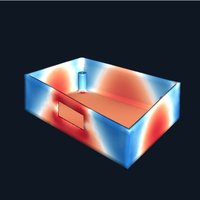
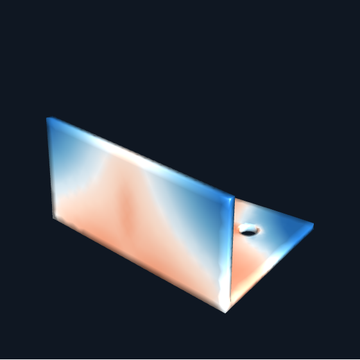
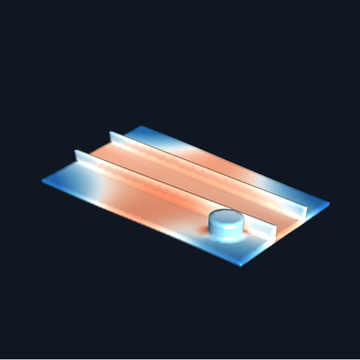
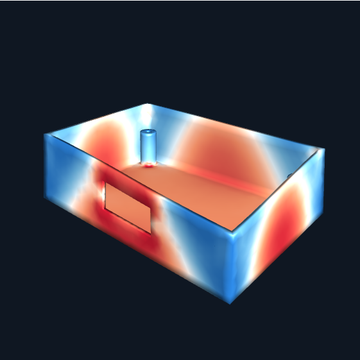
Upload one solid part as STEP. In minutes you get an interactive report showing where to add material to make the part stiffer, and where to take material out to make it lighter without losing stiffness.
- Input: one solid body as STEP (or a zip holding one), up to 25 MB
- Output: interactive 3-D report e-mailed to you as a private link — no account, no download
- Simple view for designers; Advanced view for analysts
- Materials: aluminium 6061 / 7075 / 7050, steel, 304 stainless, Ti-6Al-4V
- Not for: assemblies, sheet-metal foils, or heavily pocketed machined parts — those are refused with a reason
Results are first-order guidance, not a substitute for engineering judgement. Want the part taken further — a shell model, a stress check, a design change worked through? Ask for a quote and mention the report.
Beam calculator
BetaThe classical beam tables, solved instead of looked up
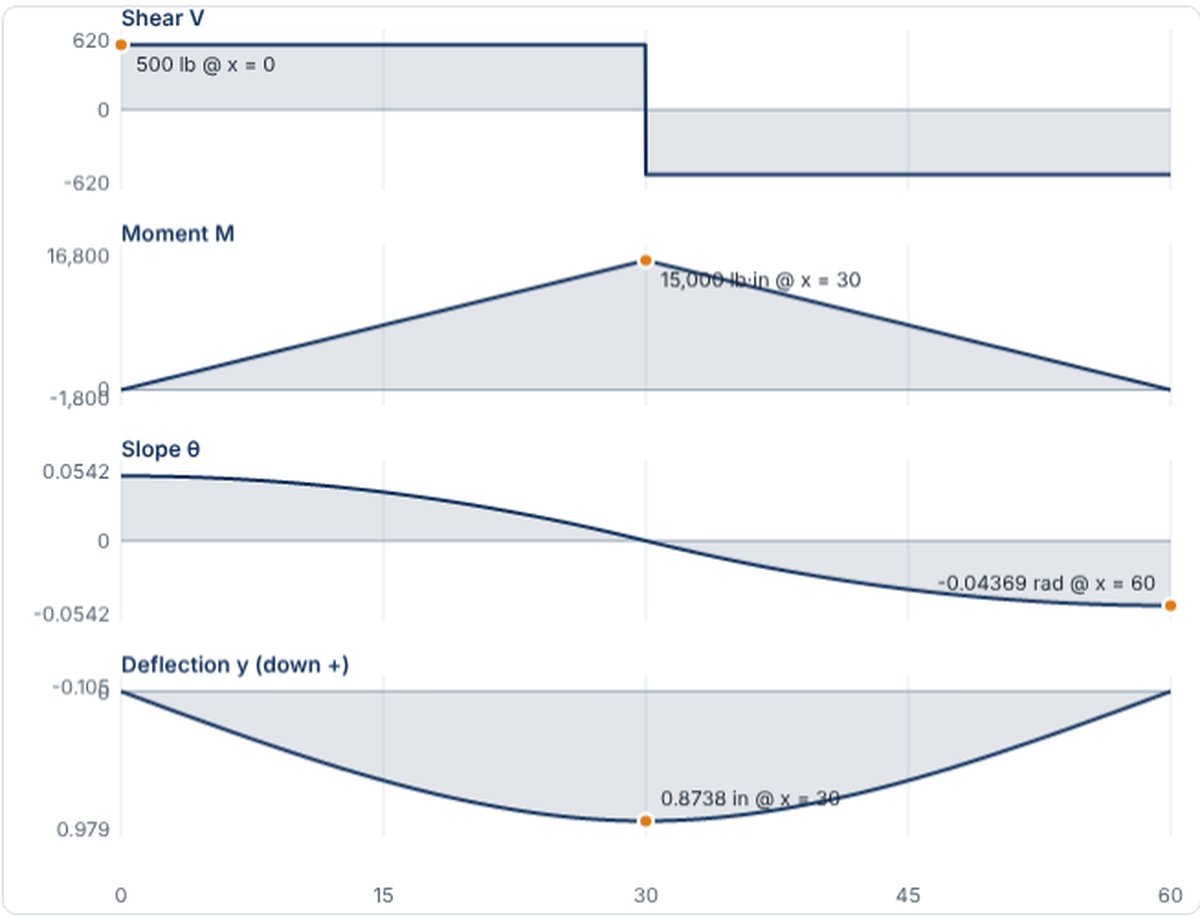
Shear, moment, slope and deflection diagrams for a single-span beam with any mix of pinned, fixed, free and guided ends under point, uniform, linearly varying and moment loads. Closed-form solutions derived from the beam equation; the derivation is on the page. Runs in your browser.
- Classic cases one click away: simple, cantilever, propped, fixed-fixed, two loads, end moments
- Reactions, extremes with locations, 21-station table, CSV download
- Every result is a closed form from EI y'''' = q, checked against the 1968 Grumman table
Shell Mesh Service
Early accessA finished shell model from one solid part
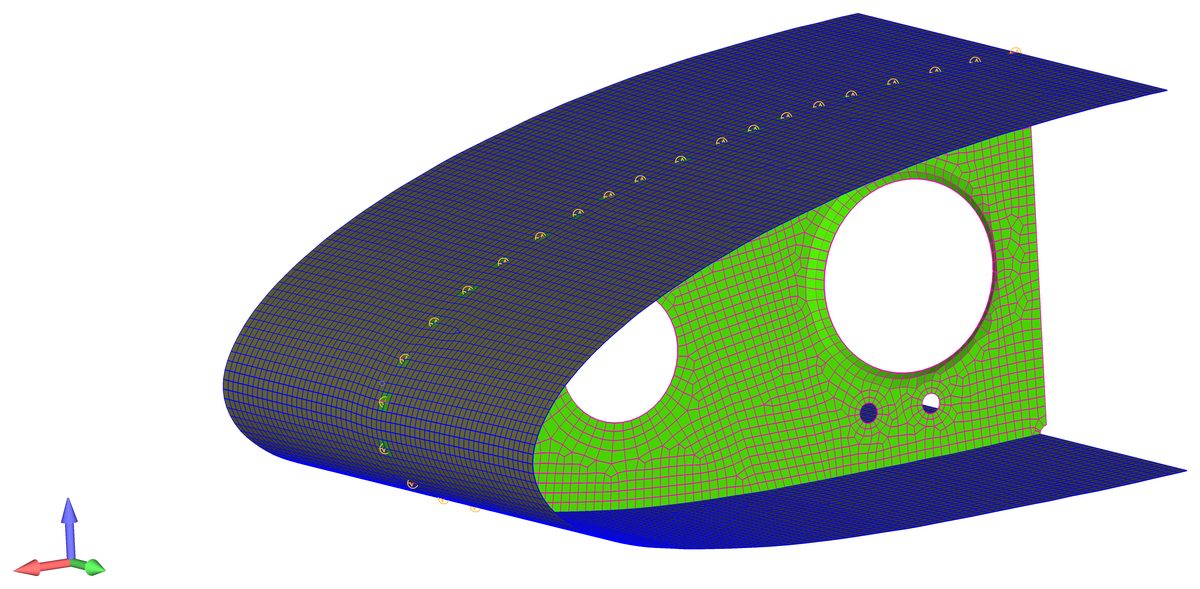
Upload one solid part and get back a shell (mid-surface) finite element model ready for FEMAP and Nastran: thin walls idealized, mid-surfaces built and connected, a clean quad-dominant mesh, measured thicknesses, mass matched to the solid — and the modes verified against a solid mesh of the same part.
- First style: dynamics-grade models — maximum simplification with minimal impact on modal accuracy
- Next: fastener-level detail-model style on the same engine
- Delivered as Nastran bulk data plus a verification summary (mass, modes vs. solid)
- Built for the parts Modal Advisor refuses as too intricate: pocketed machined plates, ribbed panels, brackets
Engineering Tools
FreeFEMAP / Nastran productivity macros
Our sister site engineeringtools.org gives away a suite of free FEMAP/Nastran tools: mode identification, FEM organization by connectivity, spring and fastener forces to Excel, Nastran job batching and dozens more. Two-minute install, free sign-up.
- 65 free tools, installed into the FEMAP custom-tools menu
- Help articles and short courses on the site
- Written and maintained by the same people who do the consulting work
A few of the 65
- Mode Identification — name modes by strain and kinetic energy
- FEM Organization — groups built automatically from connectivity
- CBUSH / Spring Forces to Excel — fastener loads formatted for margin sheets
- Nastran Job Batching — queue solves in series or parallel
- Merge Properties, Import/Export Groups & Layers, Mesh Quality Checker …
Shell Mesh Service — early access
Leave an address and the kind of parts you model, and you will be told when it opens. No newsletter, no other use of the address.
What the service will do
You upload one solid part. The service finds the thin walls, builds and connects the mid-surfaces, meshes them, measures the thickness of every region from the solid, matches the mass, and solves the modes of the shell model and of a solid mesh of the same part side by side. You get the shell model as Nastran bulk data with that comparison attached.
The first model style is the dynamics-grade shell: maximum simplification with the least effect on the modes. Fastener-level detail models follow on the same engine.
Shell idealizations built and verified by hand are the core of our model-building service. Same checks, same deliverables, any part.
Calculators in development
- Planned Beam tables — shear, moment, slope and deflection for the classical support and load cases, derived from the beam equation rather than copied, with the derivation shown
- Planned Section properties — area, centroid and moments of inertia for standard shapes, built-up and multi-material sections, or an uploaded arbitrary outline
- Planned Beam / frame analysis — 2-D frames with springs and releases, solved on a real finite element solver, with the Nastran deck to take away
- Planned Strut analysis — Euler / Johnson / crippling checks, and a nonlinear variable-section strut with eccentricity and inertial load
- Planned Modal Advisor on shell models — stiffness and weight advice for parts the solid preview refuses